Camera fiber systems
EFP to Fiber for JVC Camera Systems
JVC remote control, party-line intercom and remote power, on one cable between the camera adaptor and the optic base station.
Camera fiber systemsJVC remote control over fiberParty-line audioRemote power from base station to adaptor
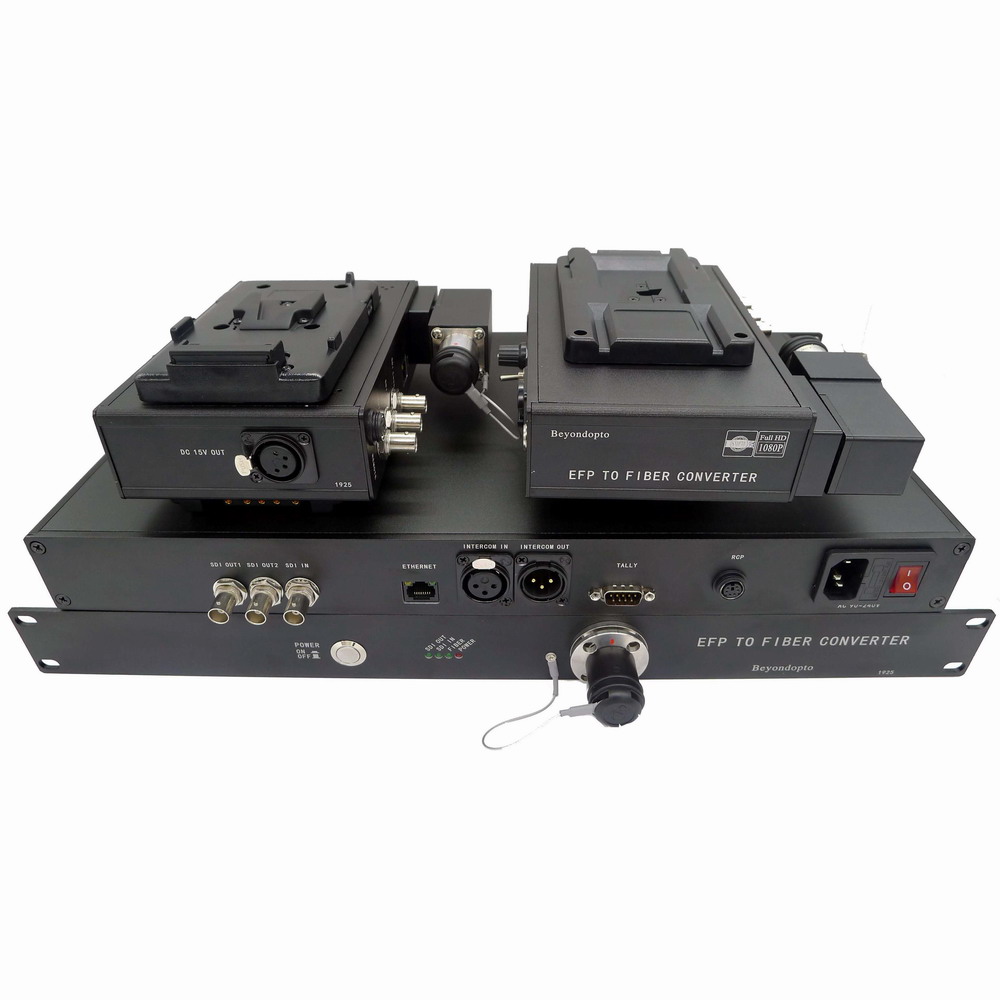
What this system does
- +JVC remote control over fiber, keeping the existing control panel in the chain.
- +Party-line audio intercom between camera operator and truck.
- +Remote power supply from base station to adaptor.
- +Camera optic adaptor and optic base station sold as a matched pair.
- +Hybrid fiber cable interface for one-cable camera operation.
- +SDI video path sized to the camera body in use.
Interfaces and configuration
| Video | SDI from the camera head, sized to the camera body |
|---|---|
| Camera control | JVC remote control over fiber |
| Intercom | Party-line audio |
| Power | Remote power from base station to adaptor |
| Components | Camera optic adaptor and optic base station |
| Optical interface | Hybrid fiber cable |
This is the interface list we build to, not a performance claim. When a number has to go into a drawing or a tender, ask for the datasheet for the exact configuration.
Buyer questions
Do I need both the adaptor and the base station?
Yes. The adaptor mounts on the camera and the base station sits at the control position; they are a matched pair. They are also sold separately as spares, because trucks damage one side far more often than the other.
Is intercom included?
The JVC build carries party-line audio between the camera operator and the base station, so the operator can hear the director without a separate radio.
Can the system power a JVC camera with a large battery adapter?
Remote power is supplied from the base station through the hybrid cable, which removes the need for an on-camera battery during a shoot. Confirm the camera body so the adaptor is configured with the right DC connector.
Also in EFP to Fiber
Camera fiber systemsEFP to Fiber for Sony Camera Systems
EFP to fiber for Sony cameras: 12G/4K-SDI video, Sony remote control, genlock, PGM and tally, remote…→Camera fiber systemsEFP to Fiber for Panasonic Camera Systems
Panasonic EFP to fiber system: 4K/12G-SDI video, RCU remote control, de-embedded audio from SDI, pow…→Camera fiber systemsEFP to Fiber for Ikegami Camera Systems
Ikegami EFP to fiber system: OCP camera control over fiber, balanced audio intercom, Lemo SMPTE 304 …→Camera fiber systemsEFP to Fiber for Datavideo Camera Systems
Datavideo EFP to fiber system with MCU camera control, ITC intercom and ODC fiber connector options,…→Camera fiber systems4K / 12G EFP to Fiber Camera System
4K and 12G EFP to fiber camera system for live events: 12G-SDI UHD video, remote power and Lemo SMPT…→Camera fiber systemsSimple EFP to Fiber
Simple EFP to fiber link for point-to-point camera video and power, for setups that do not need full…→
EFP to fiber for Sony cameras: 12G/4K-SDI video, Sony remote control, genlock, PGM and tally, remote…→Camera fiber systemsEFP to Fiber for Panasonic Camera Systems
Panasonic EFP to fiber system: 4K/12G-SDI video, RCU remote control, de-embedded audio from SDI, pow…→Camera fiber systemsEFP to Fiber for Ikegami Camera Systems
Ikegami EFP to fiber system: OCP camera control over fiber, balanced audio intercom, Lemo SMPTE 304 …→Camera fiber systemsEFP to Fiber for Datavideo Camera Systems
Datavideo EFP to fiber system with MCU camera control, ITC intercom and ODC fiber connector options,…→Camera fiber systems4K / 12G EFP to Fiber Camera System
4K and 12G EFP to fiber camera system for live events: 12G-SDI UHD video, remote power and Lemo SMPT…→Camera fiber systemsSimple EFP to Fiber
Simple EFP to fiber link for point-to-point camera video and power, for setups that do not need full…→